Where defense workflows lose time
A defense program usually collects data in one set of systems, analyzes it in another, and needs the result in front of someone in the field. Each of those systems may already hold an authority to operate. The work that moves between them often does not have a system at all. It moves by email, by spreadsheet, by a PDF someone prints and signs, or by a small app a unit built for itself because the official tools were too slow to use.
Those hand-offs are where hours disappear. They are also where a security review gets difficult, because nobody can say exactly who touched the data or which copy is current.
This paper describes how defense organizations use Kinetic to build the workflows that carry that work: from data sources, through the analysis and AI tools they already own, to an action taken by a person or a system at the edge. It covers the security model, how the platform scales, where it can be deployed, how it connects to other systems, and how teams build front ends for every device and network condition they work with.
Kinetic leaves the analysis tools and the systems of record in place. You build the connecting work on it, and each new process reuses the security rules and connections set up for the last one.
From data to intelligence to action
The model at the center of this paper has three stages. Data comes from many sources: sensors, logistics and personnel systems, case files, a data warehouse. Intelligence comes from the tools that turn that data into something a person can decide on, including AI models and analytics platforms the DoD has already bought. Action is what happens next: an order, a request, an approval, a shipment rerouted, a record updated.
Kinetic sits between the stages. A workflow built on Kinetic picks up the data, passes it to the right tool, takes the result, and routes it to the person or system that has to act, with status visible at every step.
1. Data
Sensor feeds, logistics and personnel systems, case records, the data warehouse or lake
2. Intelligence
Analytics platforms and AI models the program already owns, including self-hosted models
3. Action
A decision, approval, order or record update by a person or system at the edge
Kinetic, across all three stages
Workflows that move data from stage to stage, forms and portals where people review and act, connections to each system, access rules on every record, and a log of who did what and when
The rest of this paper explains how that movement stays secure under load and how it reaches people wherever they are working.
What AI does and does not do here
AI shows up in two places. First, it helps teams build: through the Kinetic MCP server, an AI assistant can create and edit forms, portals and workflows inside Kinetic, and it can create records and start workflows within the signed-in user’s permissions. Second, a workflow can call an AI model as one of its steps, for example to summarize a report or classify an incoming request.
The workflow itself runs the same way every time. AI is a step in the process, and the routing and access checks around it are defined in advance and recorded. Kinetic does not ship its own model. Programs use the model they choose, including Anthropic Claude, Amazon Bedrock, Azure OpenAI or an open model running on their own hardware, which matters on networks that cannot reach a commercial endpoint.
Security built into every step
Security in Kinetic rests on three things: encryption, attribute-based access control, and verified identity. They apply inside the platform and on every connection it makes to an outside system.
Encryption
Data is encrypted at rest and in transit. That covers records stored in Kinetic and the traffic between Kinetic and the systems it reads from and writes to. Shared encryption keys are rotated and withdrawn on a schedule, so a key that leaks does not stay useful for long.
Attribute-based access control
Kinetic uses attribute-based access control (ABAC). A fixed role list says that everyone in a group can see a type of record. ABAC decides each request on its own, from what is true about the user and the record at that moment, checked against policy.
User attributes
Unit, clearance, role, duty status, assigned program
Resource
The record or form and what it is marked as containing
Environment
Time, network, device and current state of the request
Policy rules
The conditions the organization has written for that resource
Decision: permit or deny this request, now
Re-evaluated on the next request, so access changes as soon as an attribute does
In practice this means access follows the person’s situation. A user reassigned to a different unit loses access to the old unit’s records the moment the attribute changes, without anyone editing a group. A request can be visible to its submitter and to staff in the owning office, and to no one else.
Teams set these rules in the Kinetic console for each application and each form.
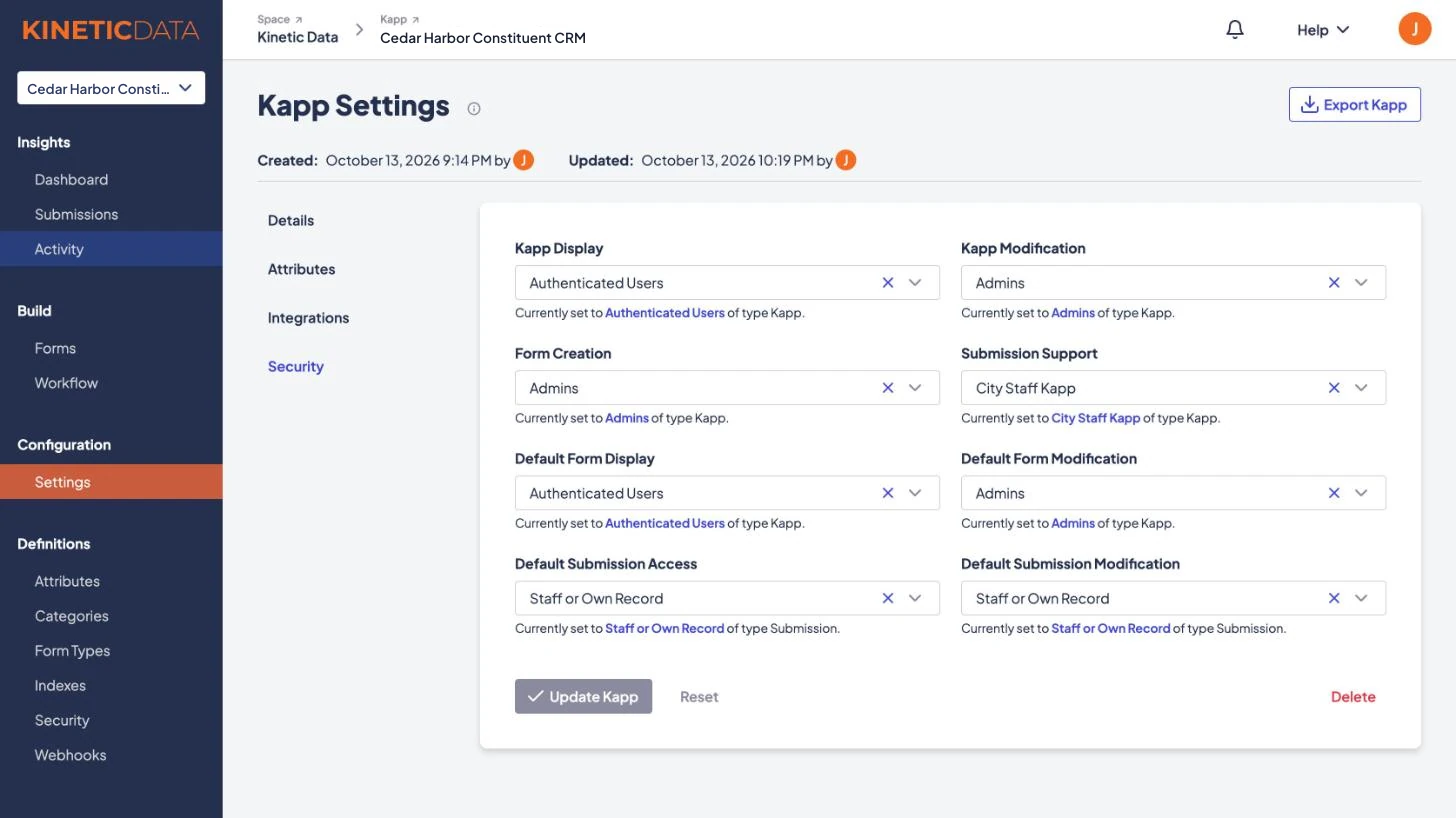
Verified identity
Users sign in with a Common Access Card (CAC) or PIV card, so each identity is verified before any access is granted. Kinetic also supports single sign-on through SAML and OIDC, which covers identity providers such as Entra ID and Okta. Combined with ABAC, this supports a zero trust approach: nobody is trusted because of the network they are on, and every request is checked against who they are and what they are asking for.
Scaling out under load
Kinetic scales horizontally. When demand goes up, you add nodes to the cluster, and you do not need to replace the server with a bigger one. Defense workloads tend to arrive in surges, around an exercise, a deployment, a reporting deadline or an incident, and horizontal scaling keeps response times steady through them.
Spreading work across nodes has a second benefit. If one node fails, the others keep running and pick up its share, so a hardware fault does not become an outage for the people depending on the workflow. The same design lets capacity grow over time as more processes move onto the platform, without a migration project each time.
Deployment options
Kinetic runs where your security requirements put it. Defense customers authorize Kinetic inside their own boundary, the same way they authorize any other system, and it runs with ATOs in DoD IL4 and IL5 environments today, Army INSCOM among them.
| Option | Where it runs | Fits when |
|---|---|---|
| On premises | Inside the organization’s own data center and infrastructure | The program needs full control of data and systems for regulatory or classification reasons |
| Private or government cloud | A dedicated environment the customer manages, such as its own GovCloud account | The program wants cloud elasticity and less hardware to run, while keeping control of the environment |
| Air-gapped | A network with no connection to the internet | Classified or isolated networks, paired with a self-hosted AI model if AI steps are used |
| Kinetic-hosted cloud | An environment Kinetic Data operates | Unclassified work where the team prefers not to run infrastructure |
Many tenants on one installation
Kinetic is multi-tenant. Separate commands or units can share one installation while each tenant keeps its own users, workflows, rules and data, isolated from the others. A tenant is administered independently, and its resources can be allocated and scaled to match its own load.
For a large organization this is the practical middle ground. The security team reviews and maintains one installation, and each unit still runs its own processes without waiting on the others or seeing their data. Shared hardware and shared operations also cost less than a separate installation per unit.
Connecting to the systems you already run
No application in a defense enterprise stands alone. A workflow that cannot read from the personnel system or write back to the logistics system just becomes another place to retype data. Kinetic connects to other systems in three ways.
Integration plugins. Every Kinetic plugin is built to the same specification: a defined set of inputs, outputs and connection settings. Plugins are written in code, so they can be tested properly before they are distributed across the platform. The code inside a plugin can import libraries and vendor SDKs, and it can call REST or SOAP services, run a command line, or work directly with a database. If a system has an OpenAPI specification, Kinetic can connect to it.
Low-code use once a plugin exists. A plugin is packaged and imported into Kinetic, and an administrator configures its connection once. After that, people who are not developers can use it inside forms and workflows by picking it from a list and mapping fields. The developer writes the connection one time, and every later process reuses it.
APIs and MCP. Everything in Kinetic is available through its API, and the Kinetic MCP server gives AI assistants the same access the signed-in user has. Other systems, and the agents a program is starting to use, work with Kinetic through those interfaces.
Kinetic does not care about the shape of the data it moves. A workflow can carry files, structured records, pointers to data held elsewhere, tags and metadata, or calls to another service. Transfers can run on a schedule or on demand when an event happens.
Front ends for every device and every link
Kinetic is headless. It holds the forms, workflows, data and rules, and teams build the user interface in the web framework they prefer. Kinetic’s own teams mostly use React, and other frameworks work as well. That separation means a program can design screens around how a specific team works, and change them without touching the workflow underneath.
Front ends built on Kinetic are responsive, so the same application works on a workstation and on a tablet. Defense users often move between them in the same day.
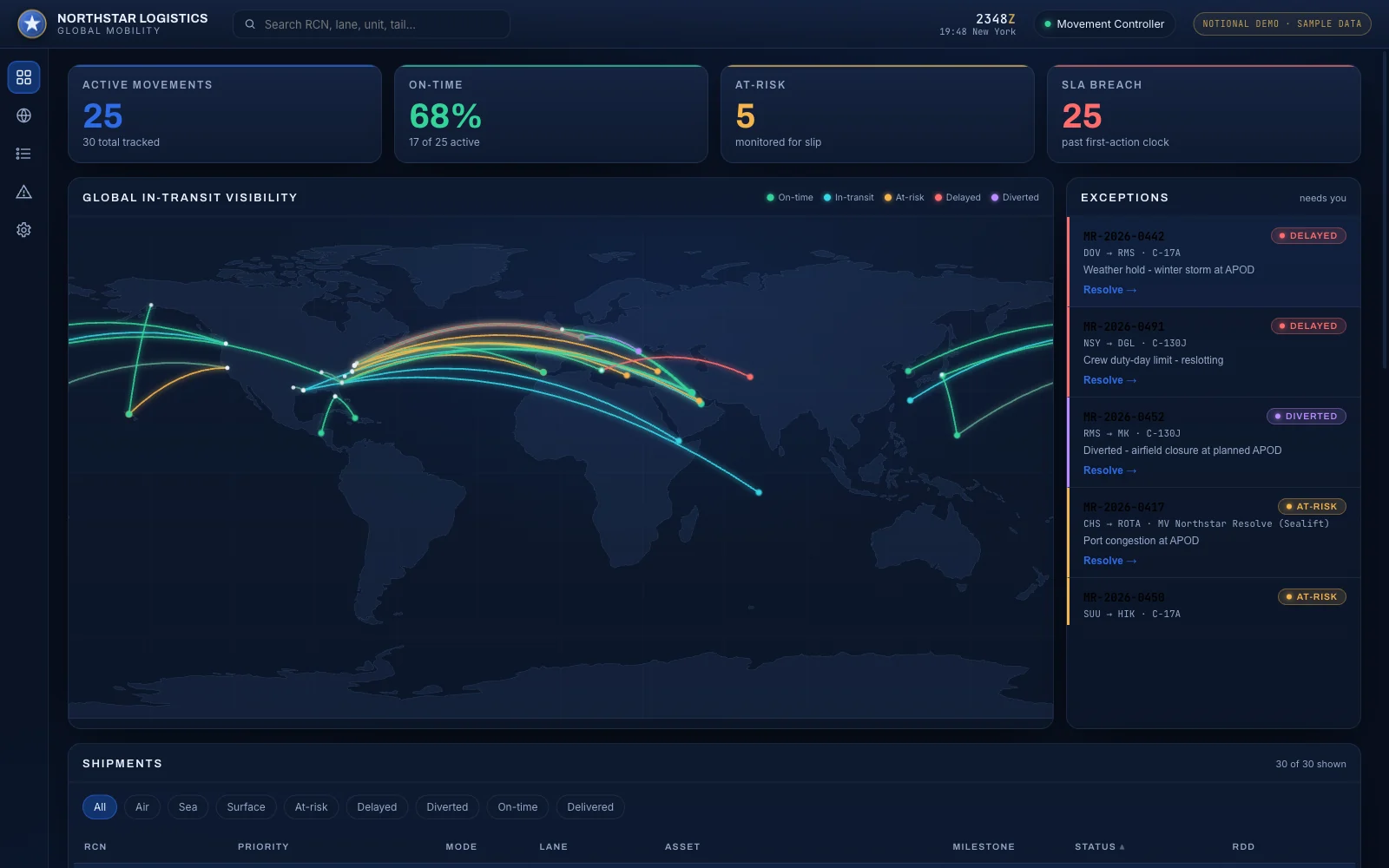
At the edge, bandwidth is often the limiting factor. Kinetic can serve lightweight portals built for low-bandwidth links, either as standalone pages or embedded inside another system the user already has open. A person on a constrained connection gets a small form that loads quickly and submits reliably, and the heavier processing happens back on the platform.
Because Kinetic is headless, it has no ready-made chat app. Programs that want people to start or approve work from a chat tool such as Teams or Slack build a plugin against the Kinetic API, or use an MCP-capable assistant.
Summary
Defense programs already own the systems that collect and analyze data. The gap is the work in between, which too often runs on paper and email or on tools built outside any shared process. Kinetic is the platform for building that work once, with the security and deployment options a defense environment requires.
Figure 4. Checklist for a secure data-to-action workflow
- Data encrypted at rest and in transit, with shared keys rotated and withdrawn on a schedule
- Access decided per request from user, resource, environment and policy (ABAC)
- CAC or PIV sign-in, plus SSO through SAML and OIDC
- Horizontal scaling, so surges and node failures do not stop the workflow
- On premises, customer-managed cloud, air-gapped or Kinetic-hosted, with ATOs in DoD IL4 and IL5 environments
- Separate tenants for separate units on one installation
- Tested integration plugins, APIs and MCP for every system in the chain
- Headless front ends that fit the device and the network link at the edge
- AI as a recorded step inside the workflow, on the model the program chooses
What you can build next
The first workflow on Kinetic sets up the connections and access rules. Every workflow after it reuses them, so the second process starts with most of the groundwork already done.
- Army INSCOM’s recruiting portal replaced an 85-page paper packet with a CAC-secured application in a DoD IL5 environment, and halved recruiter admin time.
- DD-2875 automation takes a system access request from a CAC-signed form, through supervisor, information owner and security manager approval, to a provisioned account.
- Kinetic for federal and defense covers more defense processes teams build next, from logistics exceptions to personnel actions.
Security and deployment has the full list of deployment and identity options. To map one of your own data-to-action processes, book a working session: a free two-hour session that ends with a written plan.