Client Management use case

Constituent request portal software for local government

A constituent request portal gives residents one place to report problems, request services and track status across every department. Kinetic builds the portal and the routing workflows on top of the case, permitting, work order and GIS systems a city already runs, so a resident asks once and the right department picks it up.

Reference build A working portal for the fictional City of Cedar Harbor: 28 service types in 11 categories, routed by address. See the state and local page

How a resident request reaches the right crew

  1. Experience layer

    A resident portal and 311 intake screen with one catalog of city services, address lookup, and status a resident can follow without calling.

  2. Workflow layer

    Each request is routed by type and location to the owning department, acknowledged to the resident, and tracked against its service level, with escalation when it slips.

  3. Integration layer

    Matches addresses against GIS and parcel data, creates records in each department's case, permitting or work order system, and sends acknowledgments and updates by email or SMS.

    • Case management
    • Work order and asset management
    • Permitting and licensing
    • GIS and parcel data
    • CRM
    • Email and SMS

Screens from a reference build

The organization and its data are made up. The forms, workflows and connections behind these screens run on Kinetic.

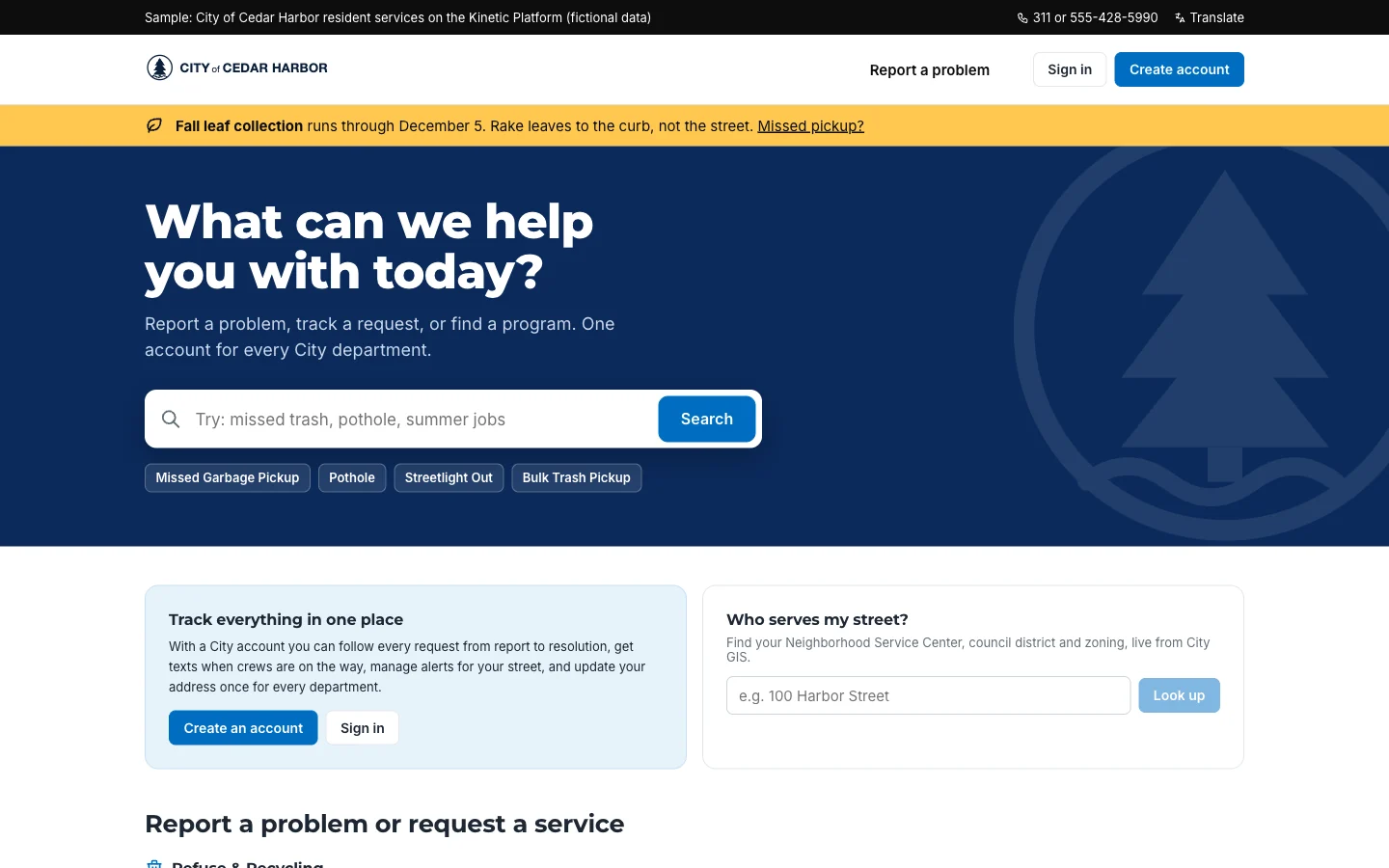
City of Cedar Harbor resident portal home page with the heading What can we help you with today, a service search box, quick links for missed garbage pickup, pothole, streetlight out and bulk trash pickup, and panels to create an account or look up who serves your street.
The resident front door: one search across every city service, no sign-in needed to start. City of Cedar Harbor · fictional organization, sample data
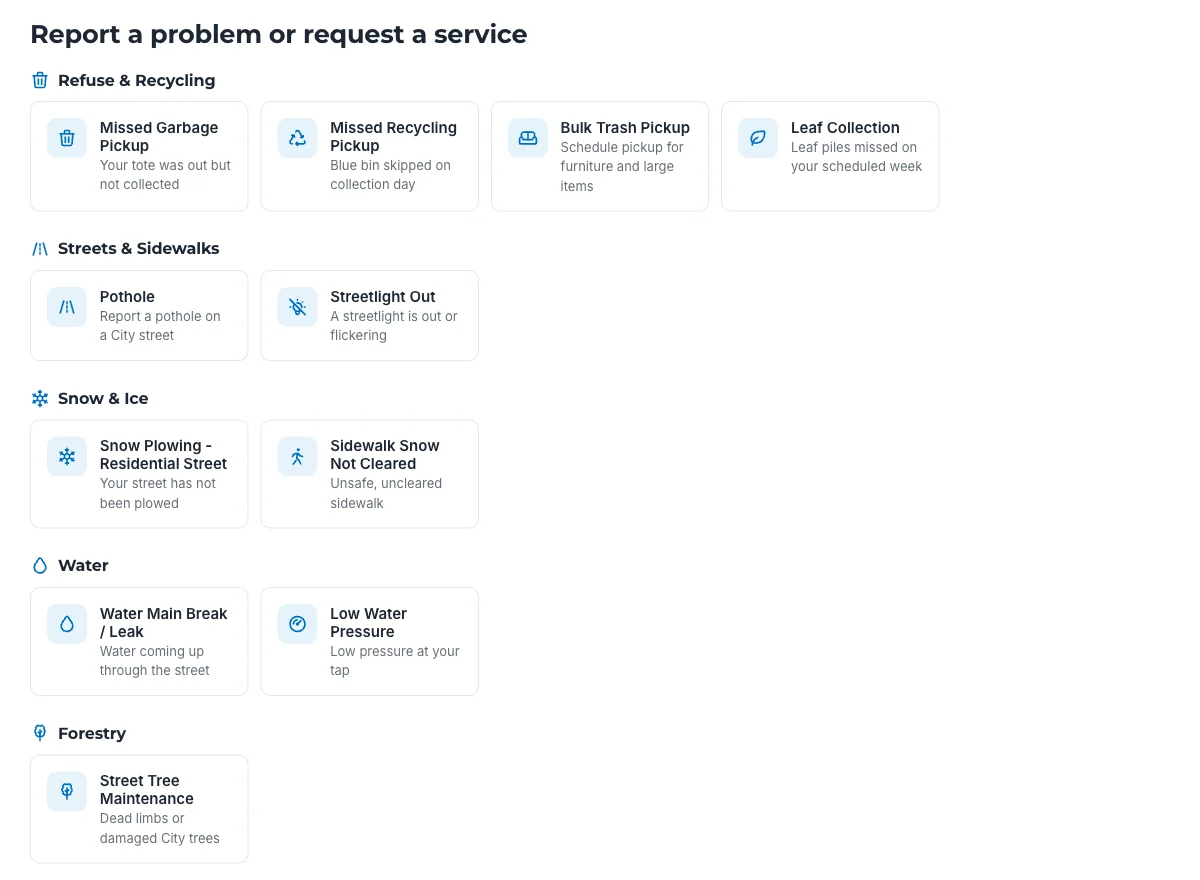
Cedar Harbor service catalog grouped by department: refuse and recycling, streets and sidewalks, snow and ice, water, forestry, and housing and property, each with request types such as pothole, streetlight out, water main break and property code violation.
One catalog for every department. Each tile is a Kinetic form with its own routing workflow. City of Cedar Harbor · fictional organization, sample data

AI in constituent request portals

AI suggests the service type from a resident's description and drafts status updates. Routing follows the address and the city's rules, and staff close requests.

What AI does

  • Classifies free-text requests into the right service type
  • Drafts plain-language status updates for residents
  • Summarizes a resident's history for the 311 agent on the call

Decided by people, not by AI

  • Merges of duplicate resident records
  • Changes to a verified address
  • Closure of requests that miss their service level

A pothole, three phone calls

Residents don’t think in departments. A resident sees a pothole on her street and wants to tell the city once. Instead she has to work out whether it’s Public Works or Transportation, find the right form or number, and call back a week later to ask what happened. The 311 agent who takes that call can’t tell her, because the status lives in the Streets division’s work order system and 311 can’t see it.

Behind the counter it’s no better. The agent retypes the request into the case system. Streets copies it into its work order system. If the pothole is next to a broken water main, a second department gets a second copy, and nobody owns the whole thing. The gaps get filled with shared inboxes and spreadsheets, each one useful to one team.

How a request moves

One catalog for everyone. The resident uses the portal; the 311 agent uses an intake screen during the call. Both pick from the same list of services and fill in the same form, so a request looks the same however it arrives.

The address decides the route. The form checks the address against the city’s parcel and district data. That match picks the owning team, the council district and the service level, without anyone looking it up.

The department works in its own system. The workflow creates the record in Streets’ work order system, or the code enforcement case system, or wherever that service lives. Crews don’t learn a new tool.

Status comes back. As the department updates its record, the status flows to the resident’s request page and to the 311 agent’s screen. The resident gets an acknowledgment with a request number and expected timing, by email or text, as she chose.

Slipping requests surface. When a request nears its service level, the team lead is alerted and the escalation is recorded, so the district office can see it before the resident calls a council member.

What the city gets

Every request in one place, by service type, district and age, regardless of which department system holds it. Adding a service means adding a form and its routing, not buying another system. And requests that cross departments have one owner and one history.

The screens on this page come from Cedar Harbor, a fictional city we built on Kinetic to show the model. The state and local government page covers permits, licensing and records requests on the same base. The same request workflows extend to service request management for city staff, and paper forms at the counter are a natural next step for form automation.

Questions about constituent request portals

Answered by Kinetic Data. Last updated .

  • Is this the same as a 311 system?

    It covers what most 311 systems do, intake, routing and status, but it is built on top of your department systems rather than beside them. The 311 agent and the resident see the same request, and each department works it in the system it already uses.

  • Do residents need an account?

    Residents can browse services and look up who serves their street without signing in. An account lets them follow every request in one place and set how the city contacts them.

  • How is a request routed to the right department?

    The workflow uses the service type and the address. The address is matched to the city's parcel and district data, which decides the owning team and the service level.

  • Can residents get updates by text message?

    Yes. Residents choose email or SMS when they submit, and updates go out as the department changes the request's status. 311 agents can set the preference for residents who call in.

Bring one process. Leave with a plan to build it.

Two hours with our team, at no cost. Bring one process that crosses your systems. We map it with you, show what Kinetic would build, and send you a written plan afterward.