Federal and Defense
Federal and defense workflow orchestration
Kinetic lets federal agencies and defense commands build request portals, cross-office approval workflows and operational dashboards on top of the ERP, HR, service desk and mission systems they already run. It installs on air-gapped networks, runs Kinetic-hosted or customer-managed, and is deployed in DoD IL5 environments today.
USDA Proof of concept on its existing systems in 4 days. Server provisioning went from 3 weeks to 30 minutes. Read the USDA case study
The systems are authorized. The work between them runs on PDFs.
One access request can touch a supervisor, an ISSM, a system owner, the directory, the service desk and the target system, sometimes in two different commands. None of those systems is going away; replacing one means a new ATO and years of risk. So the hand-offs run on email and signed PDFs, and every program office builds its own tracker.
How the work moves today
- A DD-2875 travels as a PDF from inbox to inbox, one signature at a time
- Taskers and data calls live in a spreadsheet on a shared drive
- Each program office keeps its own SharePoint list or Access database
- The ISSM re-keys each approved request into the directory and the service desk
- Someone spends a day building the status slide for the weekly update
Flagship use case
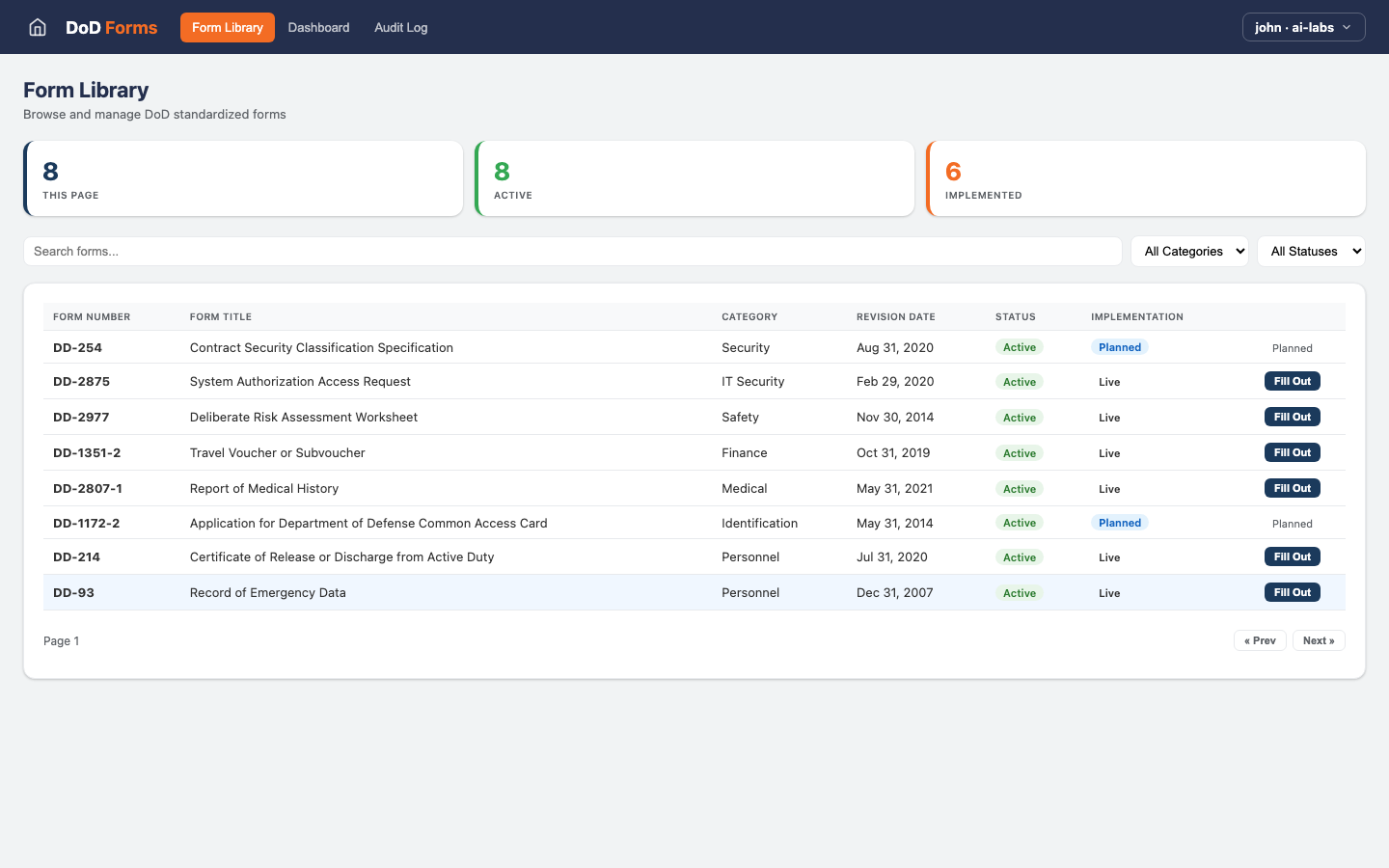
A DD-2875, from CAC sign-in to provisioned account
Three approvers in sequence and three systems to update, all from a single submission. AI checks the paperwork before anyone approves.
Example: a system access request (DD-2875)
- Step 1 Experience layer
A guided DD-2875 in the portal
The requester signs in with a CAC. Their details come from the directory, and the form asks only what applies to the access type chosen.
- Step 2 Workflow layer
AI reads the justification
AI checks that the justification fits the access requested and flags a missing Cyber Awareness certificate before the supervisor opens it.
AI step
- Step 3 Workflow layer
Supervisor, ISSM, system owner
Approvals run in order, each with a deadline. If the ISSM hasn't acted in two days, the request escalates to the alternate.
People approve
- Step 4 Integration layer
Access is provisioned
Kinetic creates the account in Active Directory, opens the fulfillment ticket in the service desk and calls the target system's API to assign the role.
- Step 5 Experience layer
One status for everyone
Requester, approvers and help desk all see the same step. Nobody emails to ask where the form is.
- Step 6 Integration layer
Filed for the access review
The completed form, each approval tied to a CAC identity and timestamp, and the provisioning result are kept together for the annual access review.
One view of every request in flight
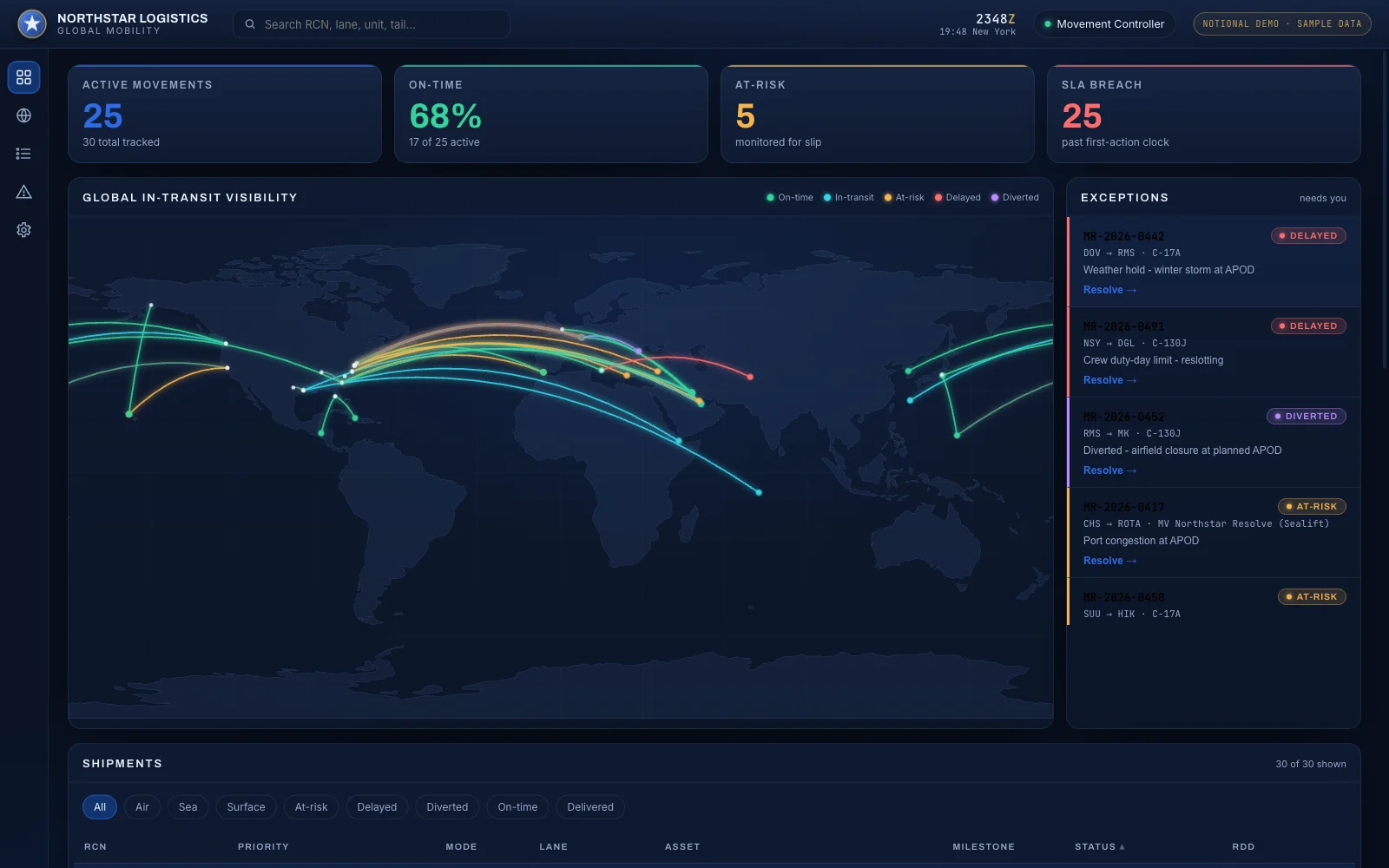
The Northstar console at the top of this page is an operational single pane built on Kinetic. It pulls live movements from several logistics systems onto one map, and each exception on it is a workflow with an owner and a deadline. Resolving one from the console updates the system underneath.
Point it at access requests, taskers and data calls instead, and leadership sees what is late and who holds it. No Thursday slide.
In development AI agents taking work from the pane and handing it back as first-class participants is in development. Agents can already start workflows and create records through MCP and the API, within the permissions they are given.
Other federal and defense workflows
Once the DD-2875 runs, CAC sign-in, the approval chain and the directory connection are in place. These reuse them.
-
DD-2875 and system access
Digital SAARs with routed approvals and automatic provisioning.
DD-2875 automation -
Infrastructure provisioning
Self-service servers and environments, on premises and in the cloud.
Infrastructure provisioning -
Access and entitlement requests
Least-privilege requests with approver context and periodic recertification.
Access request automation -
Onboarding and offboarding
Military, civilian and contractor in-processing and out-processing across HR, identity and IT.
Employee onboarding -
IT service catalog
One catalog in front of the service desk for every support request.
IT service catalog -
Recruiting and personnel packets
An 85-page paper packet replaced with a guided, routed portal.
How Army INSCOM did it
Kinetic connects to ERP, HR, service desk, directory, virtualization and mission systems through connectors, REST APIs and database access, including systems that exist only on premises. How the integration layer connects
Deployment and security
Deploys inside your boundary
Kinetic Data has spent 20+ years serving defense and intelligence. Kinetic runs where your program's authorization says it can, from Kinetic's hosted cloud to a disconnected enclave.
- IL5 deployments
- Kinetic is deployed in DoD IL5 environments, including Army INSCOM's recruiting portal.
- CAC and PIV sign-in
- Users authenticate with a Common Access Card or PIV card. SSO through SAML or OIDC covers Entra ID and Okta.
- Air-gapped, on premises or hosted
- Install Kinetic inside an enclave with no outside connection, in your own data center or government cloud, or use Kinetic's hosted cloud.
- A model inside the enclave
- Kinetic doesn't include a model. Connect Claude, Amazon Bedrock or Azure OpenAI, or run an open model on your own hardware.
Every request keeps a record of who submitted, approved and changed what, which is the evidence an inspector or access reviewer asks for. Security and deployment details
Proof
Three agencies that built on what they had
None of them migrated a system of record. Each put Kinetic on top of the systems already in place and measured the result.
-
Federal government
U.S. Department of Agriculture
- Server provisioning
- 3 weeks → 30 min
- Proof of concept
- 4 days
USDA's National Information Technology Center put self-service provisioning over vSphere, Active Directory and its cloud platforms. More than 75% of its service functions now run as automated requests.
Read the USDA case study -
Defense
Missile Defense Agency
- Faster process completion
- 50–65%
- Annual cost impact
- $1.1–1.6M
More than 9,000 users work through Kinetic workflows on top of MDA's existing systems. Approval routing that took five business days now takes two.
Read the MDA case study -
Defense
U.S. Army INSCOM
- Recruiter admin time
- 25 → 12.5 hrs/wk
- Paper packet replaced
- 85 pages
Candidates used to print and hand-fill an 85-page packet. Now they use a portal deployed in an IL5 environment with CAC sign-in, and recruiters handle the same caseload in half the time.
Read the INSCOM case study
Running state or local services? See constituent relationship management for state and local government.
What you can build next
A working DD-2875 gives you CAC sign-in, a multi-office approval chain and live connections to the directory and service desk. Start the next build from there.
-
Infrastructure provisioning
Put servers and environments behind the same portal, as USDA did, with approvals and status included.
-
In-processing and out-processing
The directory and service desk connections from the DD-2875 already cover most of the steps.
-
Data to action for program data
Turn an overdue milestone or a budget variance in your data platform into a routed decision.
Frequently asked questions
Answered by Kinetic Data. Last updated .
-
Can Kinetic run in IL5 or air-gapped environments?
Kinetic runs with ATOs in DoD IL4 and IL5 environments, including Army INSCOM's recruiting portal. It also installs on air-gapped networks, on premises and in government cloud. Kinetic goes through your authorization process like any system in your boundary.
-
Is Kinetic FedRAMP authorized?
DoD customers authorize Kinetic inside their own boundary. Several offered to sponsor a FedRAMP authorization and decided it was faster to install Kinetic in their own GovCloud environment, scan its containers and issue an Authority to Operate (ATO) themselves. Kinetic runs with ATOs in DoD IL4 and IL5 environments today.
-
Does Kinetic support CAC and PIV sign-in?
Yes. Users sign in with a Common Access Card or PIV card, and Army INSCOM's portal uses CAC sign-in. For other users, Kinetic supports single sign-on through SAML and OIDC.
-
Do we have to replace our ERP, HR or service desk systems?
No. Kinetic reads from and writes to them through connectors and APIs, and they stay the system of record. USDA had a proof of concept running in four days because there was nothing to migrate.
-
How does AI work on a disconnected network?
Run an open model on your own hardware inside the enclave and point Kinetic at it. AI does specific steps, such as checking a form or summarizing a case file. Routing, approvals and provisioning run as defined workflows, the same way every time.
-
How do agencies buy Kinetic?
Request a briefing and we'll walk through the purchasing paths open to your agency, including partners and contract vehicles. We list only the vehicles Kinetic actually holds.
Bring one process your program office still runs on PDFs.
A free, two-hour briefing. We trace that process across the offices and systems involved, show what Kinetic would build on top, and cover deployment, authorization and how to buy.