Buy the commodity systems and the models, and build the work that is specific to you
Most executives are being asked the same question from three directions: should we buy the AI our vendors are selling, build our own, or wait? Framed that way, there is no good answer. Split the question by part of the stack and it gets much easier.
Buy the things every organization needs in roughly the same shape. That means the systems of record (ERP, HRIS, ITSM, CRM), the data warehouse, the foundation models and the framework you build on. Build the things that make you different: the portal your clients use, the process that crosses four departments, the decision where an AI suggests and a person approves.
The second half is where most of the return sits, and it is where most organizations have the least structure today. USDA’s National Information Technology Center is a useful example. It put a self-service provisioning catalog in front of Infoblox, its CMDB, Active Directory, vSphere and Azure, with a proof of concept built and demonstrated in four days, against more than a year to get started with its previous solution. More than 75% of its business and service functions now run automatically. The USDA case study has the detail.
The rest of this guide covers four things in order: the problem a missing build strategy creates, how to sort buy from build, what the framework you build on must do, and a worksheet for mapping your first use case.
Shadow apps and agents fill the gap when nobody decides
When the official systems are hard to use, people find another way to get work done. A team buys a SaaS tool for its approvals. Someone builds a spreadsheet tracker with a shared inbox. Now an analyst can generate a working app in an afternoon, and a department can switch on an AI assistant with a credit card.
Each of these solves a local problem and creates a wider one. The app keeps its own copy of the data. The approval lives outside any process the rest of the organization can see. Nobody is assigned to maintain it when its author changes jobs.
AI makes this faster in two ways.
Every platform now ships its own assistant. Your ITSM has one, your HRIS has one, your CRM has one. Each is scoped to the data inside its own product. CIOs tell us their users get bounced from bot to bot: they ask the HR assistant about a new hire’s laptop, get sent to the IT assistant, and neither one knows the start date and the equipment order at the same time. The usual fix is to copy data between platforms so each assistant has more context, which leaves you with more copies to keep in sync.
The alternative, picking one vendor, hands them your roadmap. Some organizations go the other way and make one platform’s AI the front door for everything. It is fast at first, with one vendor to manage. The cost shows up later. Once a platform is the place every employee or client goes to ask for anything, replacing it means retraining all of those people, so it becomes very hard to replace even when a better or cheaper product appears. Your AI plans then move at that vendor’s pace and in that vendor’s direction.
We have seen this before with portals. Every core platform shipped its own portal, each vendor promised a single pane of glass, and organizations spent heavily customizing those portals and then maintaining the customizations through every upgrade. AI assistants are following the same path, only faster.
Build vs buy is a false choice; most organizations need both
The question that helps is narrower: for each part of the stack, who should own it? Commodity work goes to vendors who do it for thousands of customers. Work that reflects how your organization operates stays with you.
| Part of the stack | Decision | Why |
|---|---|---|
| ERP, HRIS, ITSM, CRM | Buy | General ledger, payroll and incident records follow rules shared across your industry. Vendors keep up with regulation and upgrades. |
| Data warehouse or lake | Buy | Snowflake, Databricks and their peers store and query data well. What you add is the action that follows a signal. |
| Foundation models | Buy, or host an open model | Models change every few months. Keep the right to pick a different one for each step and to switch later. |
| The framework you build on | Buy | Forms, workflow, connections, identity and history are the same plumbing for every application. Writing them yourself means maintaining them yourself. |
| Client, vendor and resident portals | Build | This is how people outside see your organization. A vendor’s portal follows the vendor’s data model, and yours should follow your clients. |
| Processes that cross systems | Build | Onboarding, provisioning and approvals run in your order, with your approvers and your exceptions. No single system of record owns them. |
| Agent-assisted decisions | Build | Which data the AI reads, which model it uses and who signs off are your policies, and they change as you learn. |
Two rows in that table cause most of the arguments.
The first is the framework. Teams with strong engineers often want to build it too. That works for one application. By the fifth, the team is maintaining a homegrown form engine, a workflow runner, a set of integration scripts and an access model, and every new application waits in their queue. Buying the framework is what keeps building cheap.
The second is the model. “Buy” here does not have to mean one provider for everything. Some steps need the strongest model available. Others handle data that must stay on your own hardware, where an open model you host yourself is the right choice. Treat the model like any other supplier: chosen per job and replaceable.
Buy the systems of record, the data platform, the models and the framework
Systems of record. Keep the ERP, HRIS, ITSM and CRM you have, and stop customizing their front ends to make them usable for occasional users. Each customization has to be carried through every upgrade. Let those systems do what they are good at, which is holding the records and enforcing the rules that belong to them.
The data platform. BI and data teams have spent years getting clean data into Snowflake or Databricks. Most of it ends up on a dashboard that someone reads and then acts on by email. Buying a better dashboard does not change that. What changes it is a process that starts when a number crosses a threshold. That process is something you build, covered on the data to action page.
The models. Choose models the way you choose cloud regions: by data rules, cost and quality for the job. A short list that works with Kinetic today is Anthropic Claude, Amazon Bedrock, Azure OpenAI, self-hosted open models, and any model behind an assistant that supports MCP. Kinetic does not ship a model of its own.
The framework. This is the part most AI plans leave out. Without it, every AI-generated application is a one-off with its own database and its own integration code. With it, the second application starts from the first one’s forms, connections and approval patterns.
Build the front door, the cross-system process and the agent-assisted decision
The applications worth building share one trait. They sit between systems you already own and the people who need something from them.
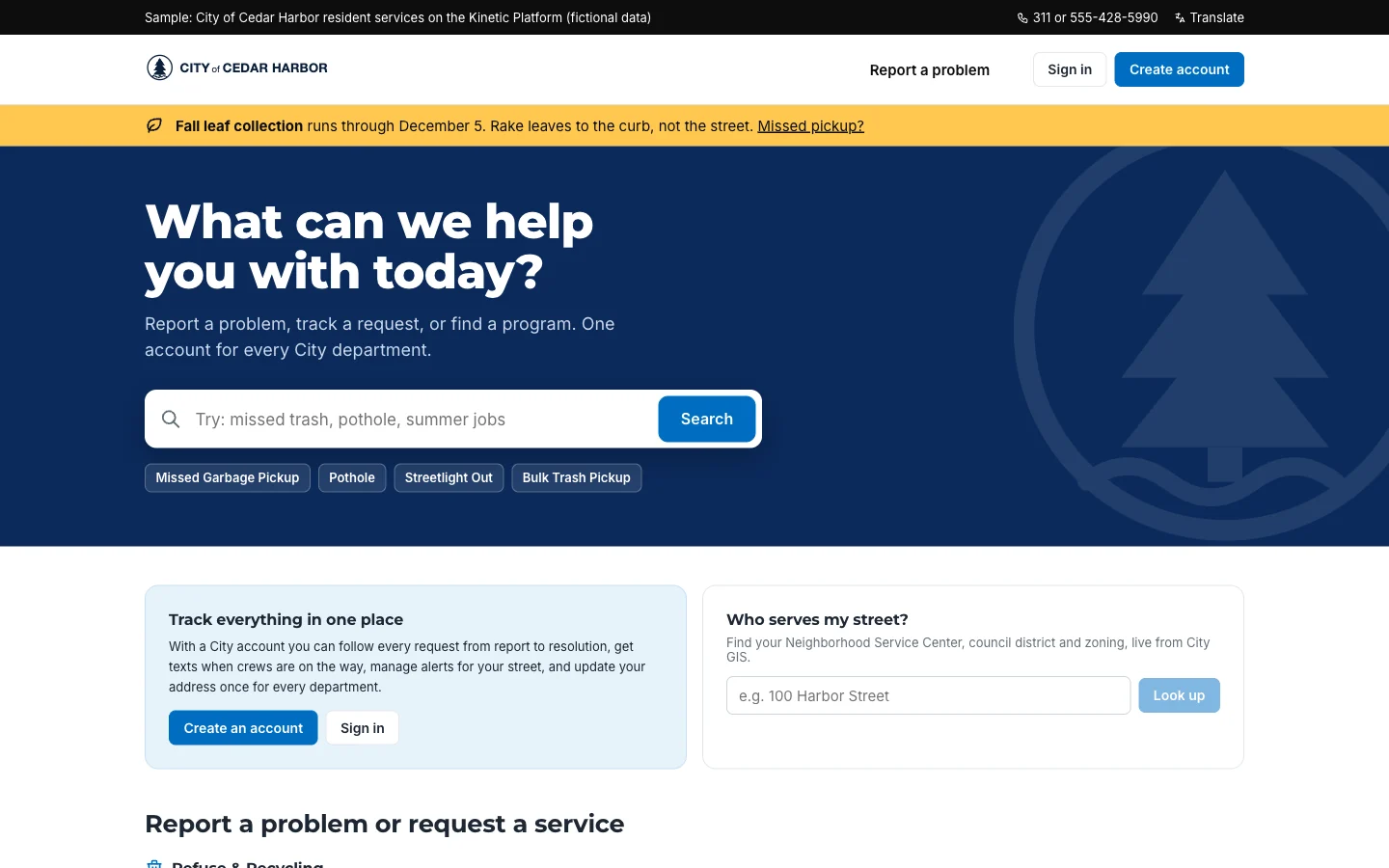
The front door. A single place where a client, vendor, resident or employee asks for something, sees its status and gets an answer, whichever system holds the record. Army INSCOM replaced an 85-page PDF recruiting packet with a secure portal using CAC sign-in, deployed in a DoD IL5 environment. Recruiter admin time fell from 25 to 12.5 hours a week (INSCOM case study).
The cross-system process. The work that crosses HR, IT, security, facilities and finance and currently moves by email. GreenState Credit Union replaced emails and checklists between those teams with one onboarding workflow and cut manual work per hire by 85% (GreenState case study). The Missile Defense Agency runs approval and routing workflows for more than 9,000 users on Kinetic; routing that took five days now takes two, and exceptions fell 40% (MDA case study).
The agent-assisted decision. A step where AI reads data from several systems and proposes something, and a person decides. A procurement analyst sees a supplier summary with the missing documents already flagged. A service manager sees a forecast of which requests will miss their deadline this week. The decision and the follow-up actions run inside a process with an owner and a history.
The framework you build on has to meet eight conditions
Use this list when you evaluate any platform for building, including ours. Ask the vendor to show each one working against your systems, not on slides.
| Requirement | Ask the vendor | In Kinetic |
|---|---|---|
| 1. Records stay where they are | Does the application read and write my ERP directly, or keep its own copy? | Connections read from and write to your systems. If a system has an OpenAPI spec, Kinetic can connect to it. |
| 2. AI builds inside it | Can an AI assistant create the forms and workflows, in a place my team can review them? | AI builds through the MCP server, and can create records and start workflows within the user’s permissions. |
| 3. Execution is predictable | Will the same request take the same path every time? | Published workflows run deterministically. AI is a step with a defined job. |
| 4. People and agents share a process | Can I see who or what is holding a request right now? | Work moves between people, systems and AI steps with status visible. Agents act through APIs and MCP today; native agent work exchange is in development. |
| 5. You choose the model | Can I use a different model for each step, including one on my own hardware? | Claude, Bedrock, Azure OpenAI, self-hosted open models, or any model that supports MCP. |
| 6. It runs where your data must stay | Can it run in our cloud, on our network or disconnected? | Kinetic-hosted cloud, customer-managed installs and air-gapped deployment. Runs with ATOs in DoD IL4 and IL5 environments. |
| 7. Identity is yours | Does it use our identity provider and our access rules? | SSO through SAML and OIDC, including Entra ID and Okta, and CAC/PIV sign-in. |
| 8. The second build is faster | What from the first application can the second one reuse? | Forms, connections and approval patterns are shared across every application on the platform. |
Condition 3 deserves a closer look, because it is where AI platforms differ most. Some products let a model decide which step runs next on every request. That is impressive in a demo and hard to live with in production. When the same inputs always take the same path, you can test a workflow before it goes live, explain to an auditor why a request was approved, and fix a problem by changing one rule. A model choosing the route each time gives all three up.
Condition 8 is the one to weigh most heavily in a business case. A platform that makes the first application quick and the tenth one just as slow has not changed your economics.
AI belongs at specific steps in a process, doing one job at each
Ask where AI fits in a process and most teams picture a chatbot. In practice the useful places are smaller and more specific. Four kinds of steps cover most of them:
- Recommend. Suggest the best option, bundle or next step: the right laptop for a new engineer, the likely approver for an unusual purchase.
- Detect. Flag duplicates, missing information or risk before a person spends time on the request: a supplier application without a certificate of insurance, a change request that conflicts with a freeze window.
- Forecast. Predict a date, a delay or the effort involved, so the requester sees an honest estimate and the manager sees which requests are at risk.
- Classify and route. Recognize what came in and send it to the right queue, so a resident who writes “the light on my corner has been out for a week” reaches the streetlight crew.
Each of these is a step in a workflow you designed. The workflow decides what happens with the AI’s output: a recommendation goes to a person, a detected gap sends the form back, a classification picks a branch.
| AI does | AI does not |
|---|---|
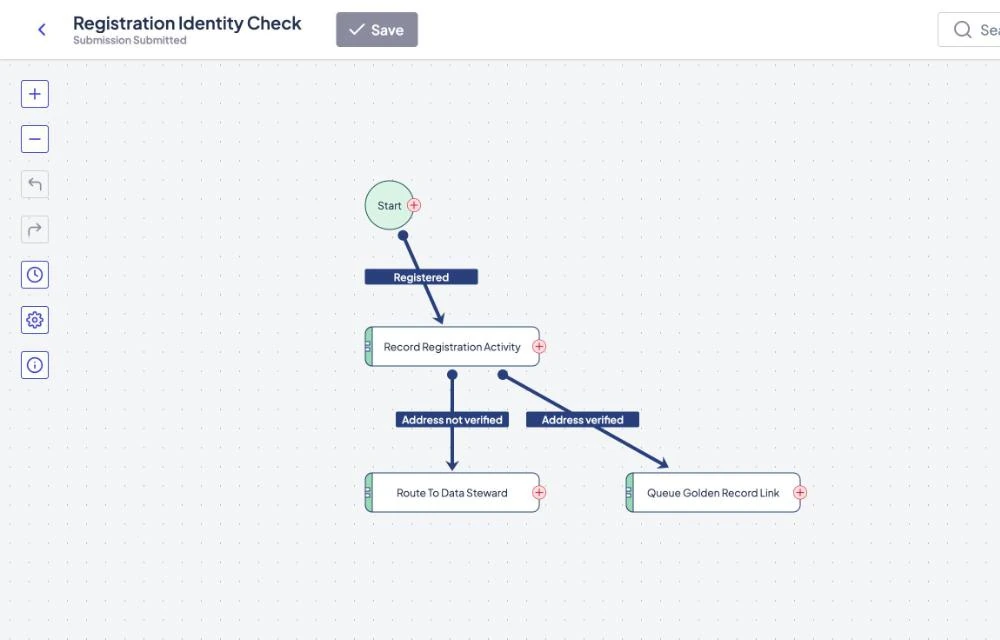
| Draft forms, portal pages and workflows through the MCP server, for a person to review in the usual builders. | Promote anything to production. A person exports the approved version and imports it. |
| Recommend, detect, forecast, classify and summarize at the steps you assign to it. | Decide which step runs next. The published workflow does, the same way for every request. |
| Create records and start workflows through the API or MCP, within the permissions of the account it uses. | Get more access than that account has, or approve work unless you design a step that lets it. |
| Run on the model you choose for each step, including one you host. | Arrive as a ready-made Teams or Slack app. Kinetic is headless; you bring it into chat tools with a plugin built on its API or through an MCP-capable assistant. |
Map one use case before you commit to anything else
The fastest way to test this thinking is on paper, with one real process. The worksheet below takes about an hour with the people who run the process today. You do not need to map how the work happens now; describe how it should go.
Start with four answers.
- The workflow. Pick one that matters and happens often: employee onboarding, supplier updates, a client service request.
- The trigger. What starts it? For onboarding, it might be a candidate marked as hired in the HRIS.
- The definition of done. Be concrete. For onboarding: the new hire arrives on day one with access to every system they need, equipment on their desk and training already assigned in the learning system.
- The people. Everyone who touches it, and what a single front door would let each of them do without sending an email.
Then list the steps in between, one row each, without getting stuck on detail. For each step, note the data that already exists somewhere (so nobody retypes it), the new data the step produces, the systems it touches and who owns it.
Mark two kinds of rows. First, mark every step that touches two or more systems and produces data another system will use later. Those are the steps that need orchestration, and they are why the work belongs in a process you build rather than inside any one vendor’s product. Second, pick the most complex of the marked steps and ask which of the four AI jobs would help, and where a person must still decide.
| Step | Data that already exists | New data created | Systems touched | Owner | Two or more systems, and data used later? | AI job | Where a person decides |
|---|---|---|---|---|---|---|---|
| Confirm role and start date | Candidate record, job requisition | Employee ID, cost center | HRIS | HR | No | None | HR confirms the offer |
| Choose equipment and software | Role, department, what peers in the role use | Equipment order, license requests | HRIS, ITSM, procurement | Hiring manager | Yes | Recommend a standard bundle | Manager accepts or edits the bundle |
| Create accounts and access | Employee ID, role, manager | Directory account, application access | Identity provider, ITSM, business applications | IT and security | Yes | Detect access that falls outside the role | Data owner approves anything flagged |
| Issue badge and workspace | Start date, location | Badge number, desk assignment | Physical access system, facilities | Facilities | Yes | Forecast whether it will be ready on day one | Facilities lead acts on late items |
| Assign training | Role, location | Training plan | Learning system | HR | No | Classify the role to pick the plan | None needed |
| Your step 1 | |||||||
| Your step 2 | |||||||
| Your step 3 |
Three of the five example steps are marked yes. That is typical. Most valuable processes spend most of their time moving between systems, and that is exactly the part no single system of record was built to handle. Notice, too, that every AI job has a person or a rule after it. AI suggests the bundle; the manager accepts it.
When you finish, you have the outline of an application: a front door for the people in your fourth answer, a workflow for the steps, connections for the systems column, and a short list of AI steps with a human decision attached to each one.
A 90-day pilot proves the approach on two or three processes
You can test all of this in one quarter without a large program around it. The order matters more than the dates.
- Find the high-volume manual processes. Look for work that happens hundreds or thousands of times a year and still moves by email, spreadsheet or a shared inbox. Your service desk and HR teams usually know which ones they are.
- Pick two or three and map them with the worksheet. Choose ones that cross at least two systems and have a clear owner. Map the way the process should run, with the AI steps and the human decisions marked.
- Put the framework in place. Connect it to the systems in your worksheets and to your identity provider. If you already run a build platform, skip this step.
- Build the processes. Have AI draft the forms and workflows, have your team review them, and release to a small group first. Plug in the model you chose for each AI step.
Measure three things from the start: how many people use the new front door instead of email, how long a request takes from start to finish across systems, and how much effort it takes to change a step or a system behind it. The third number is the one most pilots forget, and it is what tells you whether you have bought flexibility or just a new system.
Fairfax County Public Schools shows where this leads once the first processes work. It runs 250,000 requests a year through one service catalog in front of BMC Remedy, and fulfillment is 50% faster (FCPS case study).
Where Kinetic fits in a build strategy
Kinetic Data is the build platform for AI-enabled business. You keep the ERP, HRIS, ITSM and CRM you bought, and build the applications and processes that connect them in Kinetic, with AI drafting much of the first version.
Kinetic is organized in three layers:
- Experience layer. Portals, forms and apps for clients, vendors, residents and employees.
- Workflow layer. Workflows that move work between people, systems and AI steps, and run their published steps the same way every time.
- Integration layer. Connections that read and write the systems you run, including ones on your own network, plus REST APIs and an MCP server that applications and agents use today.
The build with AI page walks through an assistant building a vendor onboarding portal through MCP, step by step, with your team reviewing each piece. The security and deployment page covers hosting, identity and defense deployments; Kinetic has served defense and intelligence for more than 20 years and runs with ATOs in DoD IL4 and IL5 environments.
Two limits are worth knowing before you plan. Kinetic is headless, so there is no ready-made Teams or Slack app; customers build a plugin against the Kinetic API or use an MCP-capable assistant. Native agent work exchange, where agents pick up and hand off work as first-class participants, is in development.
If you want to try the worksheet with us, book a working session. It is a free two-hour session in which we map one of your processes against your systems, mark the AI steps and the human decisions, and send you a written plan afterward.
What you can build next
The first application gives the second one its connections, forms and approval patterns. Two places executives usually go next:
- Client management: portals where clients request, track and approve work, with the records kept in the CRM and billing systems you already run.
- Vendor and contractor onboarding: supplier registration, document checks and approvals that end with a record created in your ERP.
Frequently asked questions
Answered by Kinetic Data. Last updated .
What does build vs buy mean for AI?
It is the decision about which parts of your AI plans you rent from vendors and which parts you make yourself. For most organizations the answer is to buy the systems of record, the data platform and the models, and to build the applications and processes that use them. The framework you build on is also something you buy, so the building goes quickly.
Should we use the AI that comes with our ERP, CRM or ITSM?
Yes, for work that stays inside that product, such as drafting a reply in the service desk or summarizing a case in the CRM. It struggles when a request crosses departments, because each vendor's assistant sees only its own data. For that work, build the process once across systems and add AI at the steps where it helps.
Which AI models can we use with Kinetic?
Anthropic Claude, models on Amazon Bedrock or Azure OpenAI, self-hosted open models, and any model behind an assistant that supports MCP. Kinetic does not ship a model of its own, so you choose the model for each step and can change it later.
Does AI decide how a workflow runs in Kinetic?
No. AI drafts forms, portals and workflows through Kinetic's MCP server, and people review them. Once a workflow is published it runs the same steps for every request, and an AI step inside it does a defined job, such as classifying or summarizing.
Can AI agents take part in work today?
Yes. An agent can create records and start workflows through Kinetic's APIs and MCP server, within the permissions of the account it uses, and its actions appear in the same history as a person's. Native agent work exchange, where agents pick up and hand off work as first-class participants, is in development.
Do we have to replace any of our current systems?
No. Kinetic reads from and writes to the ERP, HRIS, ITSM and CRM you already run, and the records stay there. USDA's National Information Technology Center built a proof of concept of its provisioning catalog on Kinetic in four days without replacing a system.
How do we know the build approach is working?
Track three numbers for each process you build: how many people use the new front door instead of email, how long a request takes from start to finish across systems, and how much effort it takes to change a process or swap a system behind it. If the second application takes less time than the first, the framework is doing its job.