Why approvals get complicated
In a large organization, a single change can affect thousands of people. Users in different departments and regions need different notice of scheduled changes and unplanned outages so they can plan around them. Large enterprises may be managing hundreds of changes across dozens of locations, and they need to see conflicts before they happen.
The Kinetic Data approach
Enterprise request management (ERM) combines a portal with back-end process automation, so employees have one place to request any service, resource or product they need. The aim is first-time fulfillment: the request is completed correctly the first time, which costs less and keeps requesters happier.
Kinetic Data’s ERM software paired the Kinetic Request portal with Kinetic Task, the company’s process automation engine. Kinetic Task’s open architecture lets it integrate with any back-end system, so a service can be automated from request to fulfillment across departments. This paper describes how that software handles approvals across the enterprise.
The enterprise approval problem
Each shared-service group in an enterprise has its own tools and processes for fulfilling requests: IT service management, CRM, facilities management, ERP, billing, HRIS and payroll, among others. Each system is built around the department it serves. The HRIS, for example, assigns HR tasks and manages HR approvals.
To meet service levels, processes have to be connected across these groups. One established practice is eBonding: integrating processes between systems or organizations so delivery is centralized and automated.
Approvals are the hard part. Each department’s approvals live in its own tool, so there is no central reporting, and approval rules and processes differ from one department to the next.
Centralizing approvals
Kinetic Data’s approach is to keep the approvals that already exist in each system and add a central delivery model on top of them, so the organization can improve one process at a time.
Approvals are defined in a graphical builder that business users can work with by dragging and dropping steps. These process definitions are called task trees. Every process, including its approvals, is configured rather than coded, so it can be adjusted as the business changes. The process owner drags steps (Kinetic Task handlers) from a library onto the tree.
Reusable approval routines
Most organizations repeat the same approval process across many request types. Kinetic Data packages these as reusable components called routines. A standard approval process is configured once, maintained in one place and used everywhere it applies, which keeps approvals consistent across the enterprise.
Centralizing approval logic this way lets an organization keep using its existing systems, processes and training while it adapts to new business needs.
Delivering approval requests
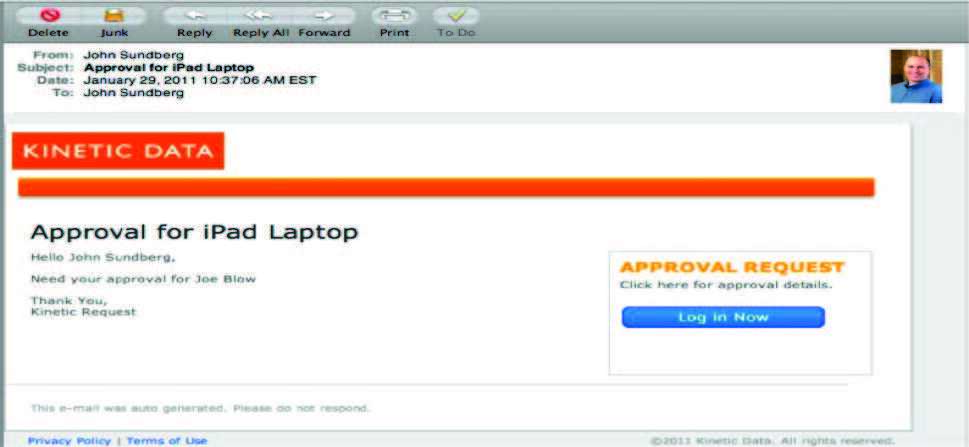
Approvers can receive and complete approvals by email. That shortens the time approvals take and makes it easier to meet service level agreements (SLAs).
Approvals can also go out by text message, using an SMS task handler connected to the organization’s SMS provider or a service such as Twilio. The approver usually receives a link to open and approve. Depending on the provider, it is also possible to reply with a message such as “Approved.”
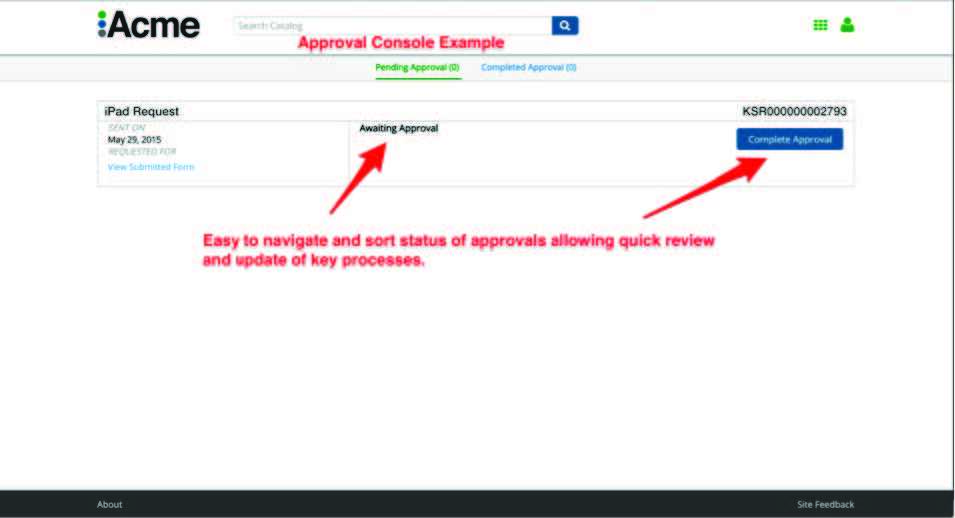
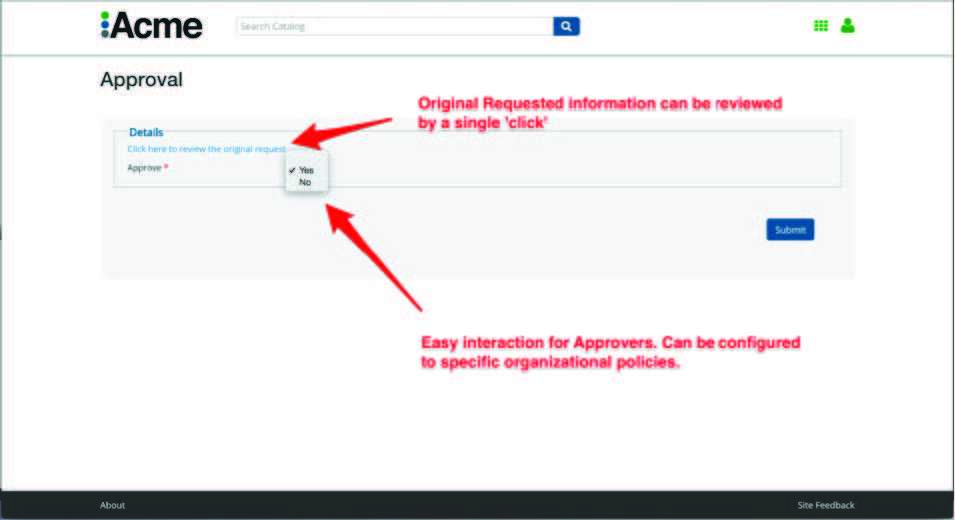
Email and text notifications can be missed or ignored, so Kinetic Request also shows pending and completed approvals in a web console. When approvers log in to the portal, they see what needs their attention. Examples are shown at the end of this paper.
Federated approvals
Some fulfillment systems already have their own approval processes. Kinetic Task can call that system’s approval process and wait for the result before moving fulfillment forward. This is defined in the delivery model in the Kinetic Task Builder, so approvals that happen in other systems are still tracked in one place.
Approval console examples